S3 Event Notifications and Triggers
Turn S3 from passive storage into an active trigger for downstream systems.
Sponsored by Archil
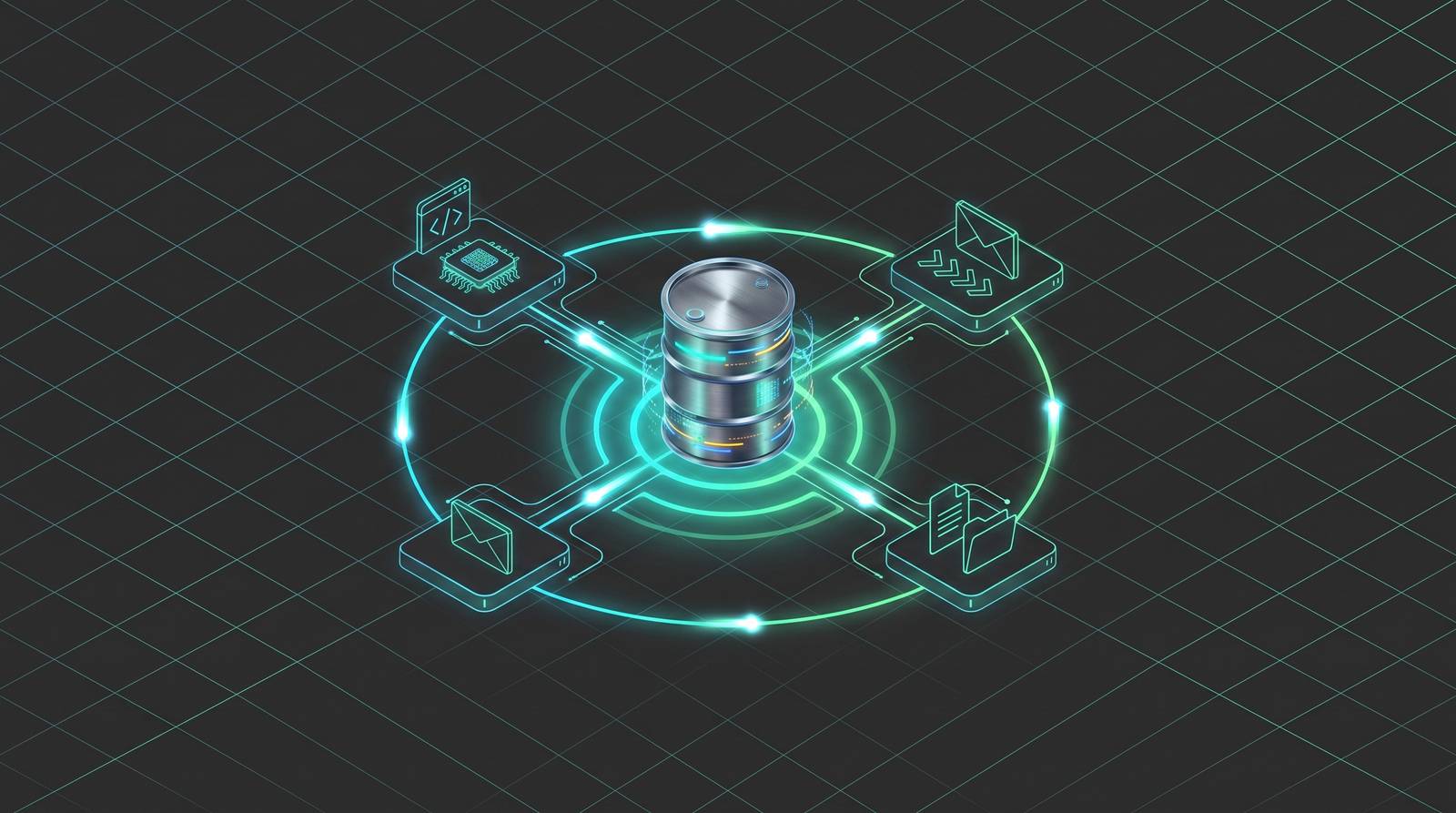
S3 buckets have a reputation problem. Most people treat them like a very reliable hard drive in the cloud. You put files in, you take files out, and maybe a cron job checks every few minutes to see if anything new showed up. That works, right up until it doesn't. The smarter model is this: S3 can tell you when something happens, the moment it happens, and hand that signal directly to whatever needs to act on it. That's what event notifications do. They turn a passive storage layer into the trigger itself, and once you've built with that model, going back to polling feels like watching paint dry.
The Four Delivery Targets and What Each One Is Suited For
When S3 fires an event notification, it needs somewhere to send it. There are four options, and picking the wrong one for your use case is a completely avoidable headache.
Lambda is the most direct path. An object lands, Lambda runs. It's the right call for lightweight, per-object work: validating a file's schema, converting a format, tagging an object based on its contents. The canonical AWS example is a team piping user image uploads straight to Rekognition to flag inappropriate content before it hits production. Object in, Lambda fires, bad content caught. Clean.
SQS is about protection. When your ingestion rate is faster than your processing rate, a queue absorbs the burst and lets downstream workers drain at their own pace. Nothing gets dropped, nothing gets overwhelmed. This is the right pattern more often than teams initially think.
SNS is for fan-out. One upload, many systems notified simultaneously. If your data team, your audit log, and your ML pipeline all need to know the same file arrived, SNS is how you avoid wiring three separate notification paths.
EventBridge is in a category of its own, and it gets its own section next.
A few things that apply to all four:
Native S3 notification targets (Lambda, SQS, SNS) must live in the same AWS account as the bucket. No exceptions.
Delivery is at-least-once. That means duplicates will happen. Every system downstream needs to handle seeing the same event twice without breaking.
That last point sounds minor until you're debugging a pipeline that processed the same file twice and wrote duplicate rows to your database. Design for idempotency from the start, not as an afterthought.
How EventBridge Extends Event Routing Beyond What Native Notifications Can Do
Native S3 notifications can filter on object key prefix and suffix. That's it. You can say "only fire on files under this folder path that end in.csv" — but not much else. That's fine for simple cases. But real production systems get complicated fast.
EventBridge changes what's possible. Instead of filtering on key shape alone, you can route on object size, requester identity, source IP, storage class, and other fields that native notifications simply don't expose. That's content-based filtering, and it's a meaningful upgrade.
A few other things EventBridge unlocks:
Events land on the default event bus and can be routed to more than 20 downstream target types from there.
Cross-account and cross-region delivery. Native notifications cannot do this. If you ever need events to cross account boundaries, EventBridge is the only built-in path.
The throughput headroom is substantial. As of 2025, EventBridge handles over 1 million events per second at sub-50ms latency under typical workloads. Routing itself is not going to be your bottleneck.
The practical pattern most production teams land on is a hybrid. Native S3 notifications handle the high-volume, straightforward paths where prefix and suffix filters are good enough. EventBridge handles the complex routing, multi-destination requirements, and anything that needs to cross account lines.
The SageMaker integration is a good illustration of why this matters. An S3 upload can route through EventBridge directly into a SageMaker pipeline execution. Endpoint drift events can land on the same bus. Storage events and ML infrastructure signals living together in one routing layer makes the whole system easier to reason about.
The Event Types S3 Can Emit and How Filters Scope Them
S3 can emit a wider range of events than most teams realize. The obvious ones get used constantly. The others get discovered later, sometimes the hard way.
Creation events cover the expected cases: PutObject, POST Object, Copy, and multipart upload completion. Any time an object arrives or gets duplicated, this fires.
Deletion events handle both versioned and unversioned object deletion, plus expiration through lifecycle policies. If you need to react when something disappears, this is your signal.
Restore events fire when a Glacier or Deep Archive restore is initiated and again when it completes. Two events, two chances to act.
Replication events surface replication failures, threshold breaches, and successful replications. Useful if you're running cross-region replication and need visibility into its health.
Tag-change events are the sleeper feature. When a tag is added or modified on an existing object, S3 can fire a notification. That means marking an object "approved" in your review workflow can kick off a Lambda or Rekognition call without anyone needing to upload a new file. The object doesn't move. The tag does. The pipeline still runs.
Intelligent-Tiering transition events notify you when an object moves to Archive Access or Deep Archive. This matters more than it sounds. A pipeline that tries to read an archived object without knowing it's been archived will just... hang, or fail silently with a confusing error. Getting notified at transition time lets you handle retrieval latency gracefully instead of discovering it at the worst possible moment.
On filtering: prefix and suffix filters scope which events actually fire, keeping notification volume sane on high-throughput buckets. If only your.csv files under raw/ingest/ should trigger processing, you can express exactly that. On a busy bucket without filters, you'll find out quickly what a notification storm feels like.
How to Configure Notifications: Console, CLI, and Infrastructure-as-Code
There are three ways in, and they're suited for different situations.
The Console is fine for exploration and small-scale setups. You click through, pick your event types, add a filter if you need one, point it at a destination, and you're done. Totally reasonable for a proof-of-concept or a bucket you're managing manually.
The CLI is the step up from there. Scriptable, repeatable, no browser required. You pass the configuration as JSON and you're off. The 2024 documentation for this path is solid.
CloudFormation or CDK is the right answer for production. Your notification configuration lives in the same code as the rest of your infrastructure. It's version-controlled. It's auditable. It deploys and tears down with the stack. There's no good reason not to do this for anything that matters.
Now, the thing that catches teams off guard more than anything else: permissions.
The destination has to explicitly grant S3 permission to invoke or publish to it. Lambda needs a resource-based policy. SQS needs a queue policy. SNS needs a topic policy. S3 doesn't just waltz in and start sending events because you told the bucket to. The destination has to say yes. Misconfigured permissions account for a large share of initial setup failures, and the error messages are often unhelpful in pointing you to the actual problem.
One more structural note: there is a single notification configuration object per bucket. All your event rules live in it. If you're managing many event types on one busy bucket, that shared config object becomes something you need to coordinate around carefully, especially when multiple teams are touching it.
A Realistic Event-Driven Pipeline: What the Full Pattern Looks Like End-to-End
Let's walk through what this actually looks like when it's working.
A raw CSV lands in an ingestion prefix in S3. That's the trigger. From there:
S3 fires an event, which routes through EventBridge based on the prefix and file type.
An SQS queue absorbs the event. During ingestion spikes, this is the buffer that keeps the rest of the pipeline from getting crushed.
Lambda reads from the queue. It checks the object: right schema? Reasonable size? Correct format? If yes, it passes the object downstream. If no, it routes the event to a dead-letter queue for investigation.
Step Functions or a Glue job handles the heavy work. CSV transformation, loading into DynamoDB, whatever the actual processing task is.
Why this beats a scheduled job:
No lag between when a file arrives and when processing starts.
No wasted compute running a job that finds nothing and checks again in five minutes.
The pipeline scales to zero when idle. You pay for what runs, not for the polling loop that runs constantly.
The idempotency point lands harder here in context. SQS can redeliver. Lambda can retry. Step Functions can re-execute. Every step in this chain needs to produce the same result if it sees the same object twice. Write once checks, conditional inserts, deduplication keys. Build these in before you ship, not after you find the duplicate rows.
Where Event Notifications Fit in MLOps and AI Data Pipelines
S3 is already where ML data lives. Training datasets, feature stores, model checkpoints, experiment logs — they all end up in buckets. That's not a coincidence. ML frameworks like TensorFlow and PyTorch are built to stream directly from object storage. S3 is the right layer. Event notifications are what make it reactive.
The polling alternative is genuinely bad at ML scale. A GPU sitting idle, waiting for a cron job to notice that new training data arrived, is expensive and slow in exactly the wrong direction. The event-driven version: dataset lands, EventBridge routes the event into a SageMaker pipeline, training job starts. No human in the loop, no scheduled lag.
Tag-change events are particularly useful here. In human-in-the-loop review workflows, a human annotator can mark a dataset as "validated" with a tag update. That tag change fires a notification, which kicks off the next stage in the pipeline. The dataset doesn't need to be re-uploaded. The human's action is the trigger.
The Intelligent-Tiering transition events matter for ML in a specific way. A dataset that gets archived during a project's idle period and then gets needed again for a new training run will surface confusing retrieval failures if nothing in the pipeline knows it's been archived. Getting a notification at the moment of archival lets you surface that latency proactively, instead of having a training job time out at 3am with a cryptic error.
Failure Modes and Operational Gaps Teams Discover After They Ship
You build the thing, it works in testing, you ship it. Then reality shows up.
Duplicate processing. At-least-once delivery is a feature, not a bug, but teams that didn't design for it end up with silent correctness problems. Same file processed twice, same record written twice. This is the most common issue and the most quietly damaging one.
Silent notification loss. S3 does not confirm that the destination received the event. If your Lambda is down or your SQS queue is misconfigured when the event fires, the notification can simply disappear. Using SQS as an intermediary is the standard mitigation because the queue provides durability that a direct Lambda invocation doesn't.
Delivery is not instantaneous. Under high load, there's lag. Pipelines that assume strict real-time ordering will produce incorrect results. Design for eventual, not instant.
Filter gaps create surprise failures. Prefix and suffix filters on native notifications don't cover object metadata or size. A file that passes your prefix filter but is 50x larger than expected will still invoke your Lambda. EventBridge content-based filtering fixes this, but you have to opt into it. The fix exists; you just have to know to reach for it.
Cross-account needs don't retrofit cleanly. Teams that start with native notifications and later discover they need to fan events to another account face a configuration migration. It's not impossible, but it's not just adding a line. Plan for this possibility early if your architecture spans multiple accounts.
You won't know something broke unless you're watching the right things. S3 event notifications don't emit delivery metrics by default. There's no built-in dashboard that tells you "three events got dropped this morning." You find out because the downstream system stopped updating and someone noticed. The practical monitoring surface is CloudWatch metrics on the destination: Lambda error rates, SQS dead-letter queue depth, SNS delivery failures. Watch those, not the bucket.
This article is sponsored by Archil.