Bash as a Universal Agent Tool Interface
LLMs already fluently speak bash, making it the universal agent interface.
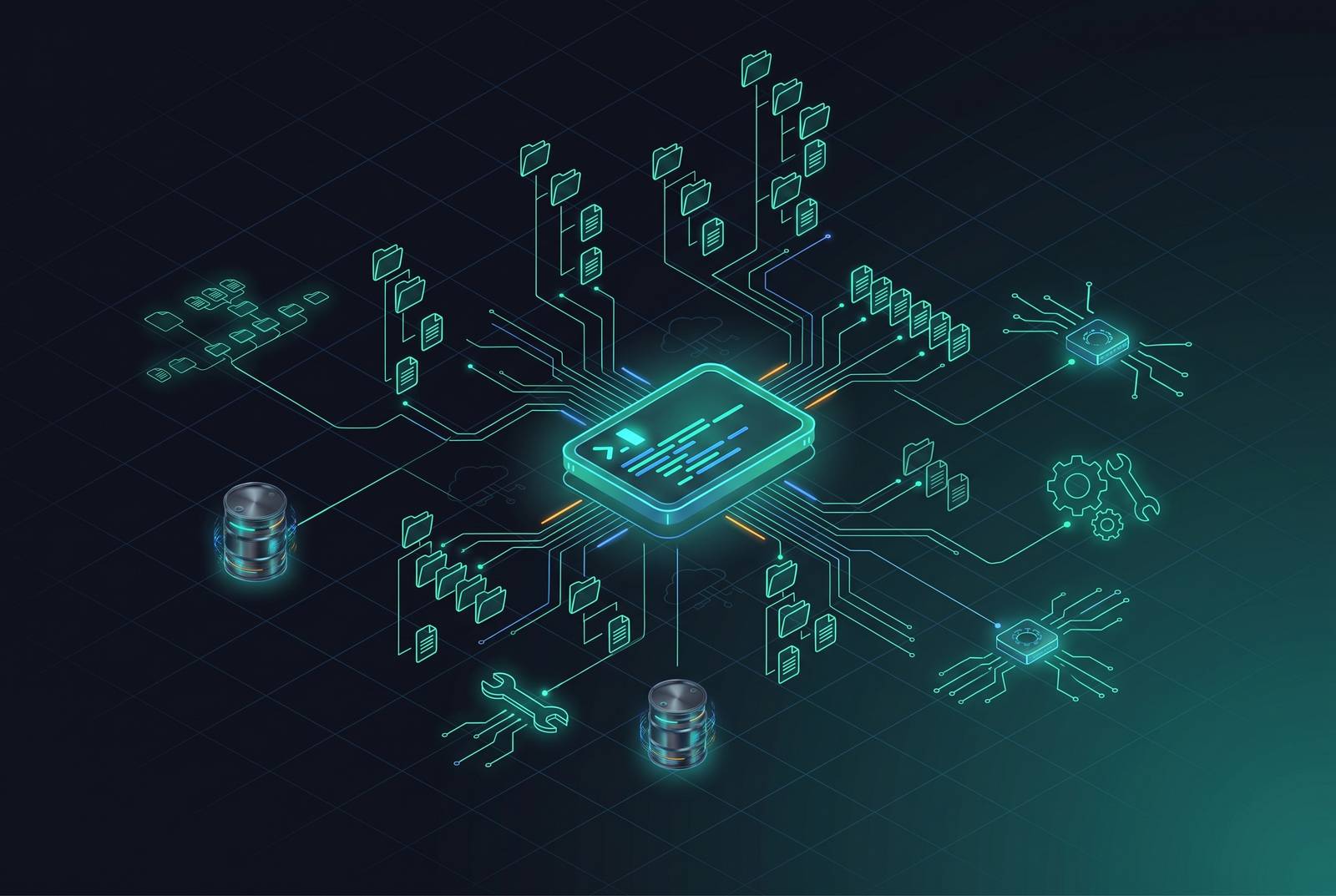
Bash works as an agent interface for a simple reason: models already speak it fluently before anyone writes a line of integration code. Frontier models trained on enormous volumes of shell scripting pick up grep, sed, awk, and cat the same way a kid raised in a bilingual house picks up a second language, without ever opening a textbook. Bash fluency is baked into the weights during pretraining, long before an engineer decides how the agent should talk to the outside world.
The idea actually predates the entire field of AI. Doug McIlroy's old Unix instruction, to write programs that handle text streams because text is a universal interface, was coined for human programmers decades before anyone imagined a language model. But it turns out to describe a large language model with strange accuracy: a system that takes in text and puts out text, and does nothing else. The two shapes match exactly. Unix pipelines move text from one small program to the next. Language models move text from one turn to the next. Bash is the bridge that already existed, because text in, text out is the shape of both Unix pipelines and language models.
How composability makes bash more than a single tool
Knowing bash is one thing. What makes it a genuinely universal interface is that it doesn't just sit there as a single trick, it multiplies. With Unix pipes, a model can run grep, send the result to sort, send that to head, and hand back one clean answer, instead of clicking through a dashboard or calling three separate typed tools to get the same place. The composition itself costs nothing extra. Every stage of an AI training pipeline, from data ingestion to preprocessing to checkpoint management to model evaluation, can be scripted and chained through that same bash interface instead of requiring a custom connector for every system it touches.
A developer on Hacker News put it well, describing the terminal as an excellent abstraction layer for working around the limits of language models, precisely because of tools like grep and the way Unix piping lets commands compose. That composability explains why agents keep converging on the same small set of Unix tools in practice rather than each shipping its own bespoke version. Ripgrep handles code search for nearly every agent in the wild (Claude Code's own Grep tool was originally built on it, before native macOS and Linux builds swapped in ugrep as of v2.1.117). apply_patch handles structured diffs. jq filters JSON. None of these are showpiece integrations. They're small, composable primitives that plug into the same pipe-and-filter pattern.
Vercel's open-source bash-tool, released in January 2026, makes the same bet explicit: it hands agents a bash execution environment with find, grep, jq, and other Unix commands for pulling context out of a filesystem, built as a direct alternative to vector search, which tends to return fuzzy results when the task actually needs precise, structured data. One developer reacting to the release summed up the whole argument in a sentence: Unix got the abstraction right fifty years ago, and if devices, processes, and data all look like files, one abstraction and one API is all you need.
The context cost that a sprawling tool catalog quietly imposes
Every typed tool bolted onto an agent's catalog eats into the context window, and that cost accumulates silently call after call rather than appearing on any single invoice. It builds quietly, call after call, until a long task is dragging a noticeably heavier load than it started with.
Anthropic's own documentation makes the scale of that drag concrete. Letting an agent write code to call tools, rather than making the tool calls directly, took one task from roughly 150,000 tokens down to a few thousand, a reduction of nearly two orders of magnitude. The same documentation notes that piping a long transcript back through a model twice can burn tens of thousands of tokens that a simple CLI filter would have avoided entirely, by returning only the rows that actually mattered. Anthropic states the underlying principle directly: CLI tools are the most context-efficient way to interact with external services.
A CLI hands back compact text, and the agent filters it before any of it enters the context window. A typed tool call, by contrast, hands back a structured object the model has to parse in full, whether it needs all of it or not. For AI training pipelines that call agents over and over across hundreds of runs, that difference in how much the model has to chew on each time compounds into real cost at scale. Developer swyx made a similar point when OpenAI shipped Codex CLI: a code-agent CLI lets a team use it like a Linux utility, sprinkling intelligence into CI pipelines and PR review without buying a heavier SaaS platform to do the same job. Token efficiency, in that framing, is baked into the architecture from the start.
What a controlled experiment across enterprise benchmarks found
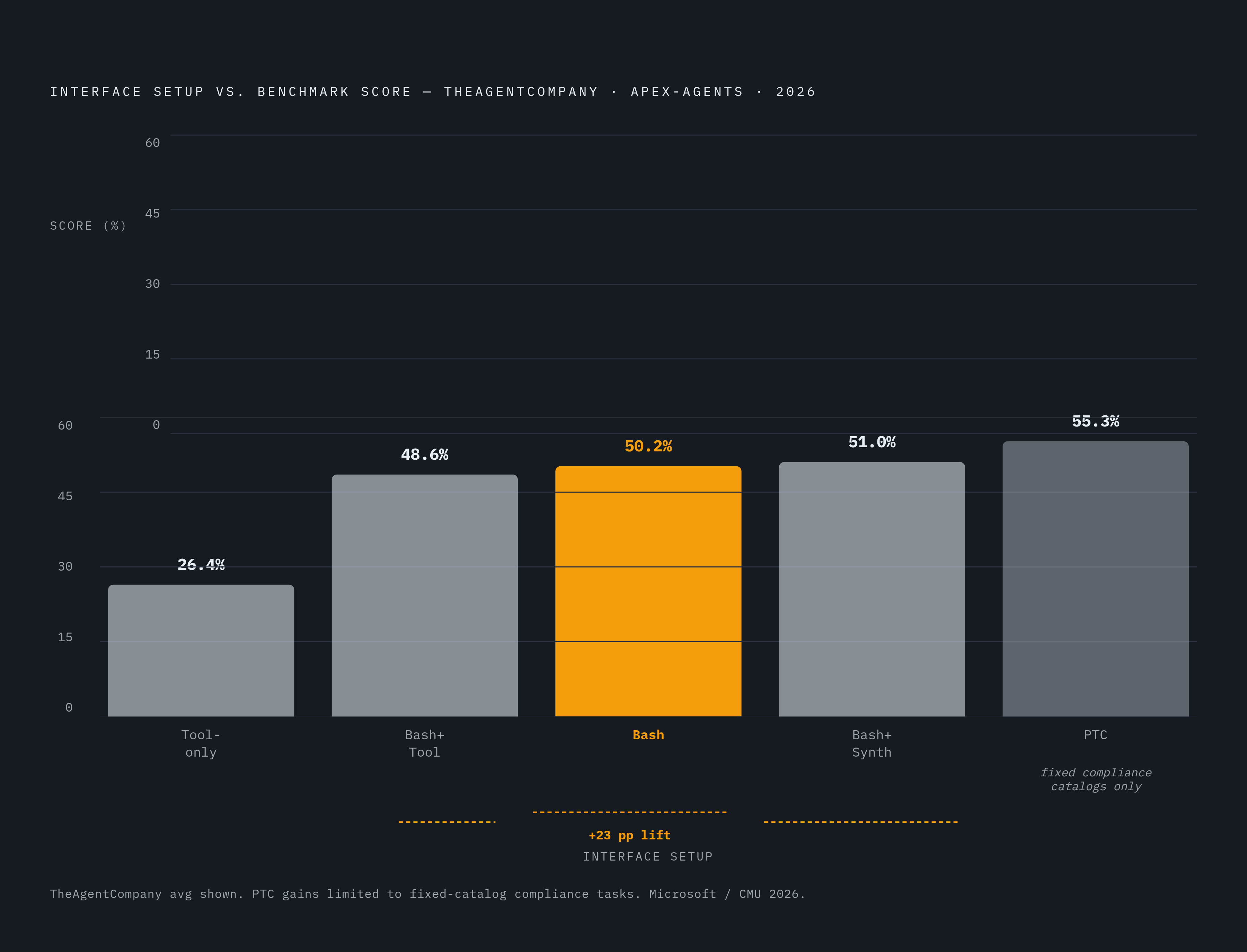
A 2026 paper out of Microsoft and Carnegie Mellon, titled "Is Bash All You Need? An Empirical Study of Tool Interfaces for Enterprise Digital Worker Agents," put these claims to an actual test rather than leaving them as developer folklore. The result: bash alone beat typed tools on every benchmark the researchers ran, used fewer tokens doing it, and piling more tools on top of bash afterward added nothing measurable.
The study lined up five different interface setups: Tool-only, Bash+Tool, Bash, Bash+Synthesis, and programmatic tool calling (PTC). It tested them on two benchmarks built around real enterprise work: TheAgentCompany, which spans roles across a simulated software company, and APEX-Agents, which covers investment banking, management consulting, and corporate law. Both Opus-4.8 and GPT-5.5 were run through the comparison. Bash alone improved score by 21.8–24.5 percentage points over typed tools on TheAgentCompany, with several percentage points of gain on APEX-Agents. Neither benchmark is a toy exercise built to flatter one approach: TheAgentCompany runs a large set of tasks against self-hosted HTTP services and a real filesystem, and APEX-Agents spans hundreds of tasks across dozens of scenario worlds, each stocked with its own set of files to navigate.
Terminal-Bench 2.0, a separate benchmark built entirely around command-line work across software, system administration, scientific computing, and security, reinforces the same shift. Top scores currently go to NexAU-AHE running on GPT-5.5 and to OpenAI's Codex CLI, also on GPT-5.5, across dozens of tasks. A benchmark that exists purely to score shell performance is itself a signal: the terminal has become a primary surface for evaluating what these agents can actually do, not a side quest.
None of that settles the matter outright, though. The paper's own authors attach a caveat that matters as much as the headline result: bash's advantage holds when arbitrary execution can be isolated, and PTC wins instead wherever security or compliance rules force a fixed tool catalog, which strips away bash's edge entirely in regulated settings like EU AI Act high-risk systems, financial services, and healthcare. That caveat is the hinge the rest of this argument swings on.
Where bash as a universal interface breaks down
The same openness that lets bash chain grep into sort into head is the same openness that hands an attacker the widest possible door into a system. This isn't a hypothetical worry dreamed up by security teams with too much time on their hands.
Two vulnerabilities disclosed in February 2026, CVE-2026-25592 and CVE-2026-26030, covered in a Microsoft research post published that May, showed how this plays out. Microsoft's own Semantic Kernel agent framework let a prompt injection escalate all the way to host-level remote code execution, because the agent's tool-calling mechanism was, functionally, a shell with no leash on it.
A separate study out of SOSP '26, led by Zhong and colleagues, dug through 290 public reports of agents gone wrong and found agents that wiped entire drives, destroyed documents with no backup, and leaked credentials without anyone noticing until it was too late. The guardrails meant to catch exactly this, command-approval prompts and sandbox filters, get routinely bypassed, or they trigger so much approval fatigue that users just flip on unchecked "YOLO mode" and stop checking anything at all.
The paper traces the failure to two gaps: not enough information about what a command will actually do to the filesystem, and not enough control to stop it once it starts. The information gap deserves equal weight next to the control gap. Neither the user nor the agent running the command can reliably tell, ahead of time, what a given shell command will touch. An innocuous-looking build script can quietly read an SSH key and rewrite a shell config file without raising a single flag.
Isolating the risk has its own costs. MicroVMs are the current standard for running untrusted code safely, but they add I/O overhead that clashes with the high-throughput data access that AI training workloads demand. A sandbox with network access is exposed to exfiltration. If you mount a writable project directory inside it, that mount can modify code. There's no setting where isolation is free.
A filesystem layer for resolving bash's power-versus-risk tension
The fix isn't to retreat from bash back toward a locked-down catalog of typed tools, trading away every efficiency gain the last three sections just established. The fix is to move the control point into the filesystem itself, so the agent keeps its full shell vocabulary while it operates against a surface built to be watched.
The SOSP paper's own proposal points this direction: build "agent-native filesystems" around three primitives, the ability to see what a command will affect before it runs, the ability to undo a mutation after it happens, and the ability to gate sensitive access points so an agent can work autonomously while anything sensitive gets staged for a human to review. The prototype built around that idea, called YoloFS, holds mutations in a staging area until a user commits them, snapshots intermediate states so an agent can correct its own mistakes, and adjusts access permissions as the task unfolds. Tested on 11 tasks that hid side effects from the agent, it let the agent catch and fix its own error in 8 of them, and staged every mutation for review along the way.
Vercel's bash-tool architecture lands on the same principle from a different angle: run the bash semantics either in memory or inside an isolated VM, so the agent still has grep, find, jq, and sed at its fingertips, but pointed at a governed filesystem rather than at the raw host, and without the overhead of standing up a full container for every session.
For AI training infrastructure, the implication is direct. A filesystem layer that mounts object storage, whether that's S3, GCS, R2, or Azure Blob, as a plain POSIX surface gives an agent a stable, governed workspace it can navigate with ordinary bash commands across sessions and parallel runs, with no need to copy or translate the data first. A cloud filesystem built to keep the underlying bucket as the actual source of truth, never holding a separate copy outside the customer's own account, means revoking access just leaves the data sitting exactly where it already was, untouched, which lines up with the data residency rules that the EU AI Act and regulated industries require.
The hidden cost bash fluency exposes: the data-movement bottleneck
Getting bash right at the agent layer doesn't make the underlying data problem go away. It exposes it. When data is scattered across different cloud providers and storage tiers, every shell command that has to reach across that gap to touch remote data pays a time tax, and that tax doesn't charge once. It charges on every epoch, every worker, every checkpoint.
Call it the I/O wait problem: GPUs, the most expensive resource in the whole pipeline, sit idle while the system waits on data to arrive from storage that was never built for this kind of load. Legacy NAS setups and traditional filesystems choke on the sheer number of small files and the level of concurrency modern deep learning frameworks throw at them.
Multi-vendor compute is just how enterprise AI operates today, with workloads split across providers as a matter of course. But every read that crosses a provider boundary during training carries an egress charge, and that charge repeats across every epoch, every distributed worker, every checkpoint you save along the way. The bill doesn't arrive once. It arrives on a loop.
S3-compatible APIs are what make it possible to dodge that trap. An application built against AWS S3 can point at a different S3-compatible backend just by swapping the endpoint URL and the credentials, with no code changes required. It's the same portability logic that makes a bash script written for one environment run just as well in another: change what it's pointed at, not how it works. Bash gives agents one interface that already fits how they think. Handle object storage the same way, and it gives that interface somewhere stable to point.
Sources
- What is a CLI and Why AI Agents Prefer It
- Is Bash All You Need? An Empirical Study of Tool Interfaces for Enterprise Digital Worker Agents
- Is Bash All You Need? An Empirical Study of Tool Interfaces for Enterprise Digital Worker Agents
- Don't Let AI Agents YOLO Your Files: Information and Control in Agent-Native Filesystems
- Vercel Open-Sources Bash Tool for Context Retrieval Using Local Filesystems - InfoQ
- Bash tool - Claude Platform Docs
- Introducing bash-tool for filesystem-based context retrieval - Vercel