S3 Versioning Cost at Scale
Versioning creates hidden storage costs that compound silently until the bill arrives.
S3 versioning does one thing: it keeps every version of every object you ever write, forever, unless you tell it otherwise. That single design choice is the reason S3 bills quietly balloon at companies that thought they'd set up a safety net, not a storage bill that grows on its own. The mechanics are simple in isolation. At scale, they compound in ways most engineering teams don't see coming until finance asks about it.
Turn on versioning at the bucket level, and every write from that point forward creates a new, independently stored object version. Doesn't matter if it's the current version or one nobody will ever look at again: S3 bills both the same, at the same per-GB rate ($0.023/GB-month for the first 50 TB in us-east-1, stepping down slightly at higher tiers). Delete markers don't help either. They mark an object as deleted, sure, but the noncurrent versions still exist and keep racking up charges.
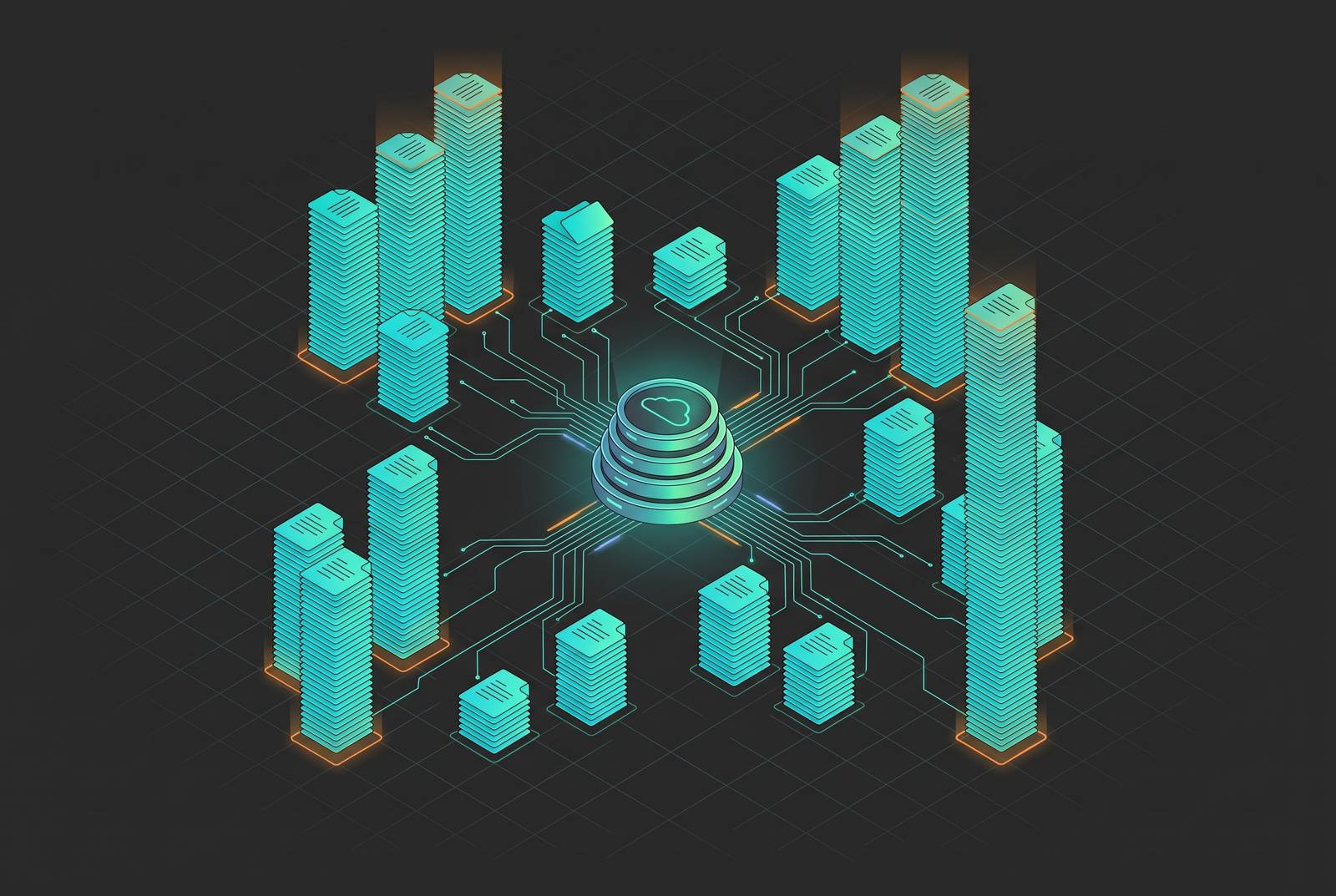
A small example makes it concrete. Upload a 500 MB config file, then overwrite it 20 times. Without any expiration rule in place, you're now storing up to 10 GB for what looks, in the console, like a single half-gig file. Multiply that pattern across a real production bucket and four separate cost categories start hiding in plain sight: noncurrent versions, delete markers sitting on top of noncurrent versions, historical versions of files someone deleted a year ago, and abandoned multipart upload fragments nobody ever finished or cleaned up. The bucket size shown in the console is only the visible part, not the billable size. It's just the part you can see.
The bucket state machine is irreversible, and most teams don't plan for that before enabling versioning
Versioning has three states: unversioned, enabled, and suspended. That's the entire state machine, and it only moves one direction. Once you flip a bucket from unversioned to enabled, there's no path back to unversioned. Ever. Suspend it later, and new writes stop creating new versions, but everything that already piled up stays exactly where it is, still on the meter.
That means turning on versioning "just to be safe," without a lifecycle policy already in place, starts a bill that grows the moment the first overwrite happens. It's less a light switch and more a one-way valve. Teams that flip it during a security review or a compliance checklist, intending to sort out the retention rules later, are already accumulating cost by the time "later" rolls around.
The fix isn't complicated: decide on lifecycle policy before enabling versioning, not after. Because the bucket's history can't be un-lived, the choices made on day one echo for years, and they echo louder as policy drifts across an organization's other buckets (more on that shortly).
Why noncurrent versions are invisible and how that invisibility compounds
Open a bucket in the S3 console and you'll see current objects. The S3 console shows current objects and nothing more. Noncurrent versions don't show up unless you go looking for them specifically, which means the "10 GB bucket" a team thinks it's running might actually be billing 50 to 100 GB once every noncurrent copy gets counted.
That gap opens up fast. Take a 4 GiB object in a daily pipeline that gets updated five times a day. That's five new noncurrent versions daily, plus the one current version. Over 30 days: 150 noncurrent copies of that one object, each billed at whatever storage class the original lived on. One object. One month. And the bucket listing still just shows you the current file.
That invisibility is how the system is built. It's how the system is built, and it means someone has to go looking for it on purpose, because it won't announce itself. Left alone, a daily pipeline pattern like the one above compounds month over month, and by the time someone notices, they're often staring at tens of terabytes of noncurrent data with no idea it was there. That gap between what a bucket shows and what it bills is bad enough on its own. It gets worse once you factor in where those hidden versions actually sit, price-wise.
How the 23x storage class price spread turns version accumulation into a compounding cost problem
The number that turns "annoying" into "expensive" is this." S3 Standard runs $0.023/GB-month. Glacier Deep Archive runs $0.00099/GB-month. That's a 23x spread between the most expensive tier and the cheapest one, and it matters because noncurrent versions default to whatever storage class created them. An object living in Standard produces noncurrent versions in Standard, even after nobody's touched that data in months and nobody ever will again.
Run the storage class list in full and the gap gets even clearer:
Standard is $0.023/GB-month, Standard-IA is $0.0125, One Zone-IA is $0.01, Glacier Instant Retrieval is $0.004, Glacier Flexible Retrieval is $0.0036, and Glacier Deep Archive is $0.00099. A file nobody has opened in six months costs the same $0.023/GB it cost on day one, sitting in Standard, when it could be costing less than a tenth of a cent per GB in Deep Archive. Multiply that spread across a large backlog of accumulated noncurrent versions, and unseen versions combine with versions sitting on the wrong tier into a bill that's grown for two separate reasons at once.
IA and Glacier tiers carry minimum storage duration charges. Standard-IA has a 30-day floor, Glacier Flexible a 90-day floor, Deep Archive a 180-day floor. Move a noncurrent version to Deep Archive on day 10 and delete it on day 20, and you'll pay the early deletion penalty as if it sat there the full 180 days. Aggressive isn't automatically smart here. The transition schedule needs to match how long the data actually needs to exist.
How policy drift at enterprise scale turns a manageable cost into a structural one
None of this stays contained to one bucket for long. At enterprise scale, new buckets spin up constantly, and most of them don't automatically inherit whatever lifecycle policy the platform team carefully built two years ago. Tags drift. Rules go stale. Someone leaves the company and takes the tribal knowledge of "why bucket-47 has that weird 14-day expiration rule" with them.
The overspend rarely traces back to one bad storage-class decision. It's usually accumulated drift across dozens, sometimes hundreds, of buckets, each missing a piece of the policy that exists correctly somewhere else in the organization. A September 2025 Crayon survey found 94% of IT leaders still struggling to get cloud costs under control, and S3 versioning accumulation is a consistent contributor to that number, not a rare edge case. Flexera's 2025 State of the Cloud report forecasts cloud spending growing 28% year over year, which means whatever discipline kept last year's bill in check probably won't hold up against next year's scale on its own.
The finance-engineering split makes this worse. Storage grows quietly on the engineering side, one pipeline run at a time. Because storage grows quietly on the engineering side while neither team tracks it, the bill appears as a surprise on the finance side, usually a quarter later. Neither team is watching the noncurrent version count day to day, because neither team owns that number by default. It's not a failure of intent. Teams that got the policy right once just don't automatically apply it to every bucket that comes after.
Getting visibility before setting controls: what S3 Storage Lens surfaces and why that order matters
Before writing a single lifecycle rule, look at what's actually there. S3 Storage Lens breaks storage down by object age, access frequency, noncurrent version bytes, and incomplete multipart upload bytes, sliced by prefix and by account. Storage Lens breaks storage down by object age, access frequency, noncurrent version bytes, and incomplete multipart upload bytes, sliced by prefix and by account, giving the actuals. Guessing at retention policy without this data is how buckets end up accumulating 40 TB of invisible noncurrent versions a month for six months straight before anyone catches it, which is exactly the kind of accumulation the earlier pipeline example was describing.
AWS added a meaningful upgrade to this in December 2025: Storage Lens metrics can now export directly to S3 Tables with Apache Iceberg support, which means SQL analysis of storage trends over time through Amazon Athena. That turns Storage Lens from a point-in-time snapshot into something a FinOps team can actually trend against month over month, letting them track storage cost trends over time rather than react to a single dashboard glance.
Pricing scales down at volume: $0.20 per million objects for the first 25 billion, $0.16 for the next 75 billion, $0.12 beyond 100 billion. Organizations running hundreds of billions of objects can cut their organization-wide monitoring cost by up to 40% just by hitting those tiers. And multipart upload fragments deserve a mention here too. Storage Lens reports those separately, and they deserve an abort rule of their own alongside whatever version expiration policy gets written.
The lifecycle rules that control noncurrent version accumulation and the limits of each
Two lifecycle actions do most of the work here. NoncurrentVersionExpiration deletes noncurrent versions after a set number of days, commonly somewhere between 30 and 90 depending on how much recovery time a team actually needs. NoncurrentVersionTransition moves noncurrent versions to a cheaper class before they expire, useful when there's a compliance or audit window that requires the data stick around a while longer, just not on the expensive tier.
A typical transition path moves noncurrent versions into Glacier Flexible Retrieval or Deep Archive after some number of days, but it has to respect the minimum duration floors mentioned earlier (30 days for Standard-IA, 90 for Glacier, 180 for Deep Archive). Move too fast and the early deletion charges eat the savings you were trying to capture.
For buckets where versioning is a compliance requirement and can't just be turned off, S3 Object Lock in Compliance mode covers the retention obligation directly. Outside the locked period, noncurrent versions and delete markers can be expired aggressively, since the compliance need is already satisfied by the lock itself, not by letting versions pile up indefinitely. And once noncurrent versions get expired, don't forget the delete markers left behind. A separate lifecycle action handles cleaning up expired object delete markers, and it's an easy one to skip.
None of this runs itself, though. Lifecycle rules aren't self-maintaining: they go stale, tags drift, new buckets get created without the standard policy attached. The controls need ongoing governance, including regular review to catch stale lifecycle rules, tag drift, and new buckets created without the standard policy attached. Done properly and applied consistently, these strategies can cut S3 bills by 40 to 80%, a wide range that depends on existing noncurrent history and storage class. That's a wide range on purpose. It depends entirely on how much noncurrent history already piled up and which storage class it's been sitting on this whole time.
When S3 versioning is the wrong tool for the workload: AI training pipelines and high-churn data
Versioning was built for change protection on data that doesn't change very often, think config files, documents, records that get updated occasionally and need an audit trail. It's object-level and storage-class-agnostic, which is exactly why it struggles with workloads that mutate constantly.
AI training pipelines are close to the worst-case scenario for this. Large objects (multi-GiB model checkpoints, dataset shards), high write frequency, and a genuine need for reproducibility, since debugging a bad training run means being able to go back and see exactly what data and what checkpoint produced it. S3 versioning technically satisfies that need, but only by storing a complete, full-size copy of every intermediate state. The AI storage market is expanding fast (growing at a 24.42% compound annual growth rate to reach a scale several times larger by 2034), and at that scale, version accumulation cost is something teams have to design around from day one.
Structured alternatives exist for exactly this problem. Apache Iceberg does snapshot-based versioning at the table level: each write produces a new immutable snapshot referencing specific data files, and time travel lets you query any historical state without restoring or moving anything. Snapshot expiration is explicit and controlled, so old data files only get removed once no active snapshot references them anymore, though Iceberg won't run that cleanup automatically. It's mandatory maintenance the format expects someone to schedule. For ML debugging specifically, tracing which training data caused a model regression tends to be faster through Iceberg time travel than through reconstructing the history from S3 versioning or a change log.
For teams versioning an entire dataset across multiple cloud providers at once, repository-level tools take a different approach, capturing whole-repository state in a single commit rather than versioning object by object, so a single commit ID hands downstream consumers a fully consistent dataset. Elsewhere in the ecosystem, Apache Hudi 1.1 (following Hudi 1.0's release in January 2025) added Iceberg output support, so teams already using Hudi's upsert operations can now produce Iceberg-compatible tables without giving up their existing managed tooling. A catalog project, which graduated to a top-level project under an open-source foundation in 2026, implements the Iceberg REST Catalog spec and can run self-hosted on Kubernetes with PostgreSQL, or through a managed service, relevant for anyone building a lakehouse that spans multiple query engines.
The line to draw is fairly clean. S3 versioning is the right default for audit trails and protection against accidental deletion on data that doesn't change much. For high-churn pipeline data, snapshot-based table formats skip full-copy duplication entirely and give you structured time travel for a fraction of the storage cost.
A filesystem interface over object storage as a different approach to the data-movement problem AI pipelines create
Part of the versioning cost problem in AI workloads is architectural rather than about versioning itself. It's architectural. Pipelines download data from S3 to compute, run the job, write intermediate outputs back to S3, and repeat that loop many times over, and every round trip through a versioned bucket adds more objects to the pile. Data and storage bottlenecks are widely reported as limiting how well AI workloads perform and scale, and a lot of that bottleneck traces back to teams hand-building custom data-movement pipelines just to keep GPUs fed.
One way around that loop: mount a POSIX filesystem directly over the existing S3, GCS, R2, or Azure Blob bucket, rather than downloading data before every job runs. Reads that hit an NVMe cache come back at sub-millisecond latency, and a cache miss triggers a fetch from the source bucket, no copy step, no ETL job, no migration project. Writes get replicated before the call returns, then flushed to the bucket asynchronously in the background, so the bucket stays the single source of truth and no separate persistent copy of the data lives anywhere outside the account it started in.
That shift matters for a second reason too. When training jobs and agents interact with a normal filesystem instead of firing raw S3 API calls directly, the LIST and GET request volume, an underrated cost driver in its own right, collapses down mostly to cached reads. Full POSIX semantics (atomic rename, file locking) round out the picture, giving AI pipelines the interface they were actually built to expect, without asking them to route every read and write through the version-accumulation machine that object storage was never quite designed to survive at this pace.