S3 Transfer Acceleration vs Direct Upload
Geography and object size determine whether acceleration cuts upload time enough to justify the fee.
Sponsored by Archil

Where geography determines which route wins
Here's the actual difference, and it's simpler than most people expect. Direct upload sends your data across the public internet the whole way. S3 Transfer Acceleration hands it off to AWS's private network at the nearest edge location and keeps it there until it lands in the bucket. Same bucket. Same destination. Completely different road.
That road is what matters.
When data crosses the public internet over a long distance, it accumulates hops. More hops means more congestion points, more TCP retransmissions, more unpredictability. S3TA shortens the part of that journey you can't control. Your client connects to the nearest CloudFront edge location, which is almost always closer than the bucket. From there, the data rides AWS's private backbone. Less congestion, reduced packet loss, optimized routing.
AWS runs over 200 edge locations but only a couple dozen regions. The edge is almost always closer to you than the bucket is. That's the whole geometric argument, and it's a pretty good one.
AWS claims 50 to 500% faster transfers for long-distance, large-object uploads. That range is intentional. The gain scales with distance and object size. It is not a flat improvement you can bank on without checking.
S3TA doesn't help much in these situations:
Files under 1 GB. Transfer times are short enough that edge-routing optimizations don't compound into meaningful gains.
Same-region uploads. You're already close to the bucket. The edge detour adds latency rather than removing it.
Low-volume workloads where upload speed doesn't affect anything downstream.
One thing AWS actually got right: if S3TA wouldn't be faster for a given transfer, AWS routes it normally and doesn't charge the acceleration fee. That removes a lot of risk from experimenting before you commit.
AWS also has a speed comparison tool so you can measure the actual gap from your specific location before paying for anything. Use it. Your geography determines where in that 50 to 500% range you land, and you want to know that before you architect around something that won't move the needle.
A massive file uploaded from the same region is not a strong S3TA case. A 500 MB file uploaded from Southeast Asia to a bucket in us-east-1 is. Geography and object size together make the call.
How multipart uploads and part-size tuning fit into this decision
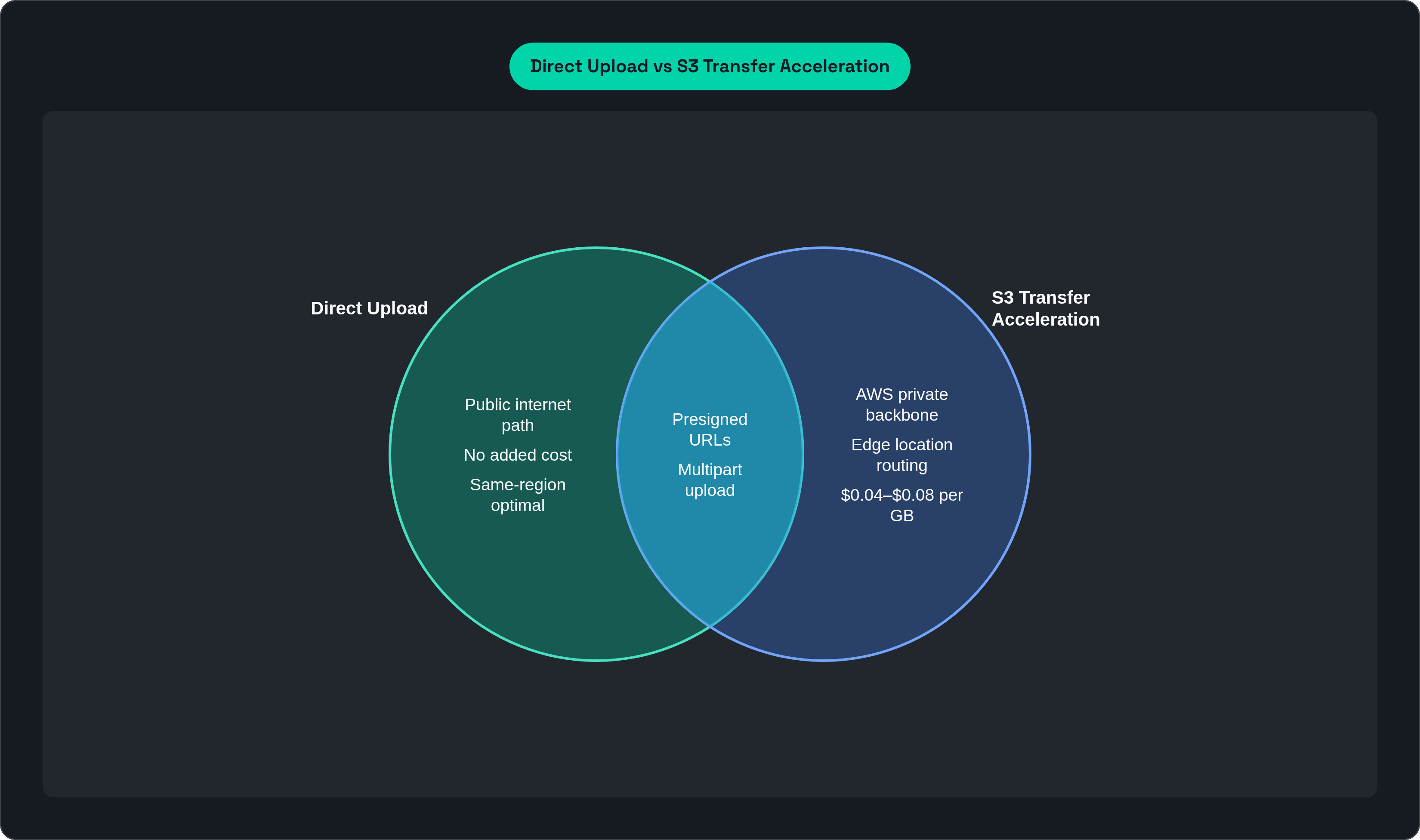
Multipart upload is not an alternative to S3TA. It's a prerequisite for getting the most out of either path.
AWS recommends multipart for any object at or above 100 MB. Each part uploads independently, so a failed part retransmits only itself. Parts upload in parallel, which directly increases throughput on high-bandwidth connections. For large files, this isn't optional tuning. It's just how you do it right.
Part size is where most teams quietly leave performance behind. The default minimum is 5 MB, which technically works but underperforms on fast connections. For gigabit connections, the practical floor is closer to 100 MB per part. Pushing into the 50 to 500 MB range reduces per-request overhead and connection churn in ways that compound across a large upload. Small config change, noticeable effect.
When you stack S3TA with multipart, the edge-location connection gets established once per part. More parallel parts means more simultaneous edge connections. That's where the backbone throughput advantage actually materializes. S3TA alone isn't the story. S3TA plus tuned multipart is the story.
Two other things worth knowing:
CloudFront PUT is a narrow option for small files that don't qualify for multipart. It routes uploads through the edge network without requiring S3TA. Useful when the file is too small for S3TA's optimizations to kick in but geography still creates real latency.
Presigned URLs are the right security model for both paths. They keep credentials out of client apps and avoid routing uploads through an application server, which would reintroduce the exact bottleneck you're trying to eliminate.
Part-size tuning isn't a one-time config you set and forget. Revisit it as your objects get larger and your connections get faster. The numbers that made sense last year are probably leaving something on the table today.
What S3 Transfer Acceleration costs and when that cost is justified
Direct upload into S3 from the internet is free. That's your baseline.
S3TA adds $0.04 per GB for uploads from the US, Europe, and Japan. From everywhere else, Southeast Asia, South America, Africa, the Middle East, it's $0.08 per GB. Which is genuinely backwards pricing when you think about it. Those are the exact regions where S3TA delivers its biggest gains. You pay more precisely because you need it more. AWS doesn't lose any sleep over this.
The premium makes sense when:
You're doing regular cross-continental transfers of GBs to TBs and upload speed affects downstream workflows or SLAs.
The alternative is routing through an application server. Infrastructure and egress costs there can easily exceed the S3TA fee without much effort.
Network consistency matters as much as peak speed. The backbone path reduces packet loss and retransmission, which is a reliability story, not just a throughput one.
Skip it when:
You're uploading small files, same-region, or to workloads where upload latency doesn't matter downstream.
You're running high-volume ingest pipelines where the per-GB cost compounds fast.
One option that doesn't get enough attention: S3 Multi-Region Access Points carry much lower data routing fees per GB and can accelerate performance by up to 60% for data sets replicated across multiple regions. If your architecture already involves replication rather than a single centralized bucket, look at this before defaulting to S3TA.
S3TA also has hard constraints that have nothing to do with cost. Bucket names must be DNS-compliant, meaning no periods. It doesn't support CopyObject across regions. And it only works within the S3 ecosystem. Moving data between other AWS services or to another cloud provider, S3TA is not in the picture.
How to match the upload pattern to the workload in practice
Three variables make the call: how far the client is from the bucket, how large the objects are, and how sensitive the workload is to per-GB cost. All three need to point in the same direction for S3TA to be the obvious answer. When only one or two do, the decision gets more interesting.
Direct upload is the right default when:
Clients and bucket are in the same region or on the same continent.
Object sizes consistently stay under 1 GB.
Upload frequency or volume makes the per-GB fee add up quickly.
Pair direct upload with presigned URLs and multipart for objects over 100 MB, and you recover most of the available performance without the S3TA overhead.
S3TA is the right choice when:
Users or systems upload from globally distributed locations to a single centralized bucket.
Regular transfers of GBs or more are crossing continental distances.
Consistency of delivery matters as much as peak throughput.
Stack S3TA with multipart and tuned part sizes of 100 MB or more for large objects, and you fully realize the backbone advantage.
One thing to plan around: S3TA optimizes one upload path at a time. A single endpoint failure can halt a transfer, and it doesn't solve for fan-out or multi-source ingest architectures. If your architecture is already multi-region, Multi-Region Access Points route reads and writes to the lowest-latency copy rather than funneling everything through one bucket endpoint.
Also worth knowing: AWS raised the maximum S3 object size from 5 TB to 50 TB in 2025. Large single objects like high-resolution video, seismic data, or AI training sets that previously had to be split can now upload whole. That changes the upload path math for some workloads in ways that aren't immediately obvious until you're staring at a 30 TB file and wondering why your old config feels sluggish.
Where upload performance shows up as a bottleneck in AI and ML workflows
Upload performance stays invisible right up until it isn't. Then you're debugging why training runs are slower than expected or why GPUs keep going idle, and the answer is buried somewhere in the data pipeline. Not the model. Not the compute. The pipe.
Two AI workload patterns stress upload performance in completely different ways.
Training data ingest involves large objects, high throughput, and some tolerance for latency. Multipart with tuned part sizes handles most of the work here. S3TA adds value when the data originates far from the training region. The transfer path matters more than people expect on the read side too. AWS's S3 Connector for PyTorch loads training data significantly faster than older connectors, and the principle carries to uploads: the path you choose compounds across thousands of iterations.
Checkpointing is a different problem. Frequent writes of multi-gigabyte files mid-training, with very low tolerance for latency, because idle GPU time during a checkpoint stall is expensive compute waste. Real money disappearing in real time. The upload path determines how consistently checkpoints complete within acceptable windows. When they don't, GPUs sit idle. That math gets ugly fast.
Then there's the small-file problem in inference. AI inference workloads typically involve a large number of smaller files, and the rate of moving those files in and out matters more than raw throughput. S3TA's per-file overhead from edge connection setup doesn't pencil out for high-frequency small-file patterns. CloudFront PUT or direct upload with presigned URLs is more appropriate there.
The upload routing decisions you make at the infrastructure level propagate into training throughput, GPU utilization, and iteration speed. Treating S3TA as a blanket solution wastes money on workloads where it won't move the needle. Dismissing it entirely without profiling your transfer patterns leaves real performance behind.
For workloads where data moves continuously between the filesystem layer and S3, training reads, checkpoint writes, artifact storage, the upload path is part of a larger data movement architecture. It's not a one-time configuration choice. It's something you revisit as your data grows, your team scales, and your geography changes.
This article is sponsored by Archil.